Block distracting websites and social media completely
The site and its subdomains never load. You get one of 50 short quotes from founders and builders instead.
 Slow Dopamine
Add to Chrome
Slow Dopamine
Add to Chrome
Website blocker & time limits for Chrome
Slow Dopamine is a free Chrome extension that blocks distracting websites and social media, limits your time on them with a cooldown, or makes you pause before they open. Only time with a site on screen counts, loosening a limit takes a 45-second wait, and nothing leaves your browser.
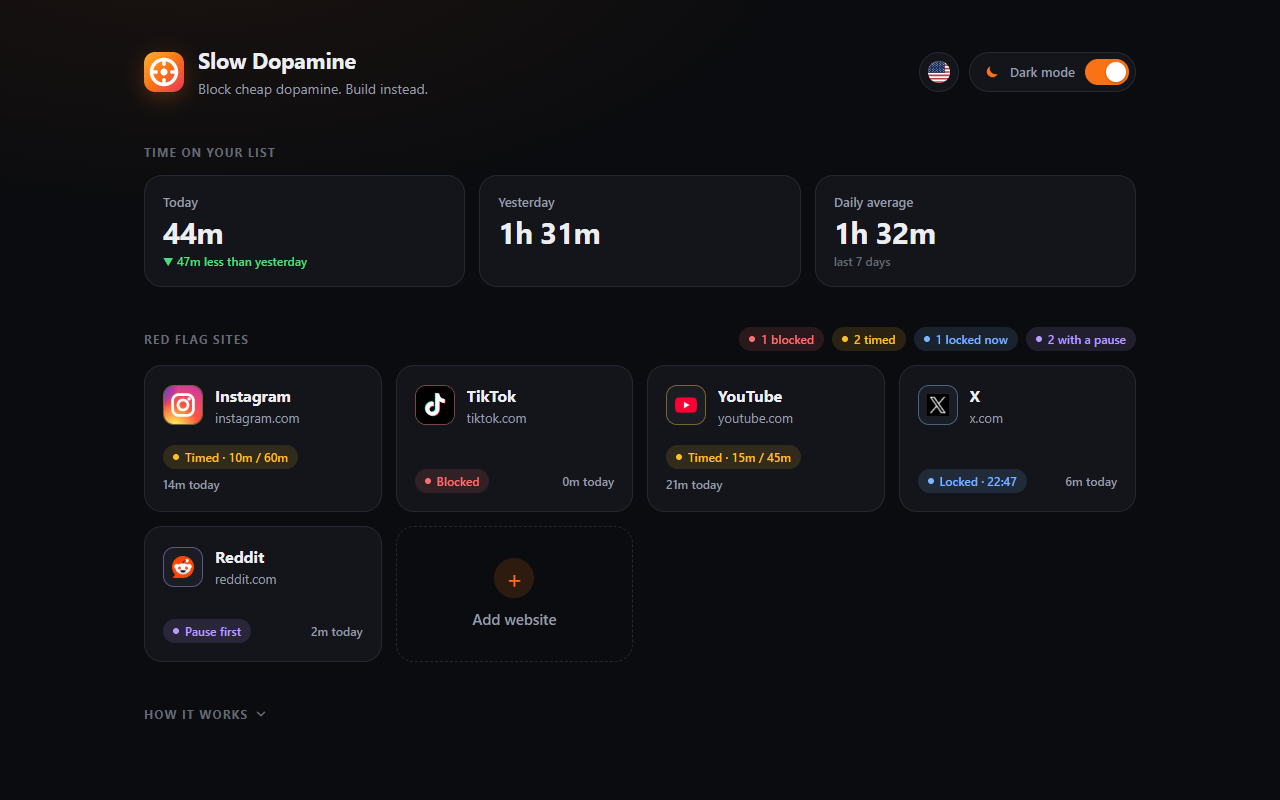
Pick how strict to be with each site. The pause works on its own or in front of a time limit.
The site and its subdomains never load. You get one of 50 short quotes from founders and builders instead.
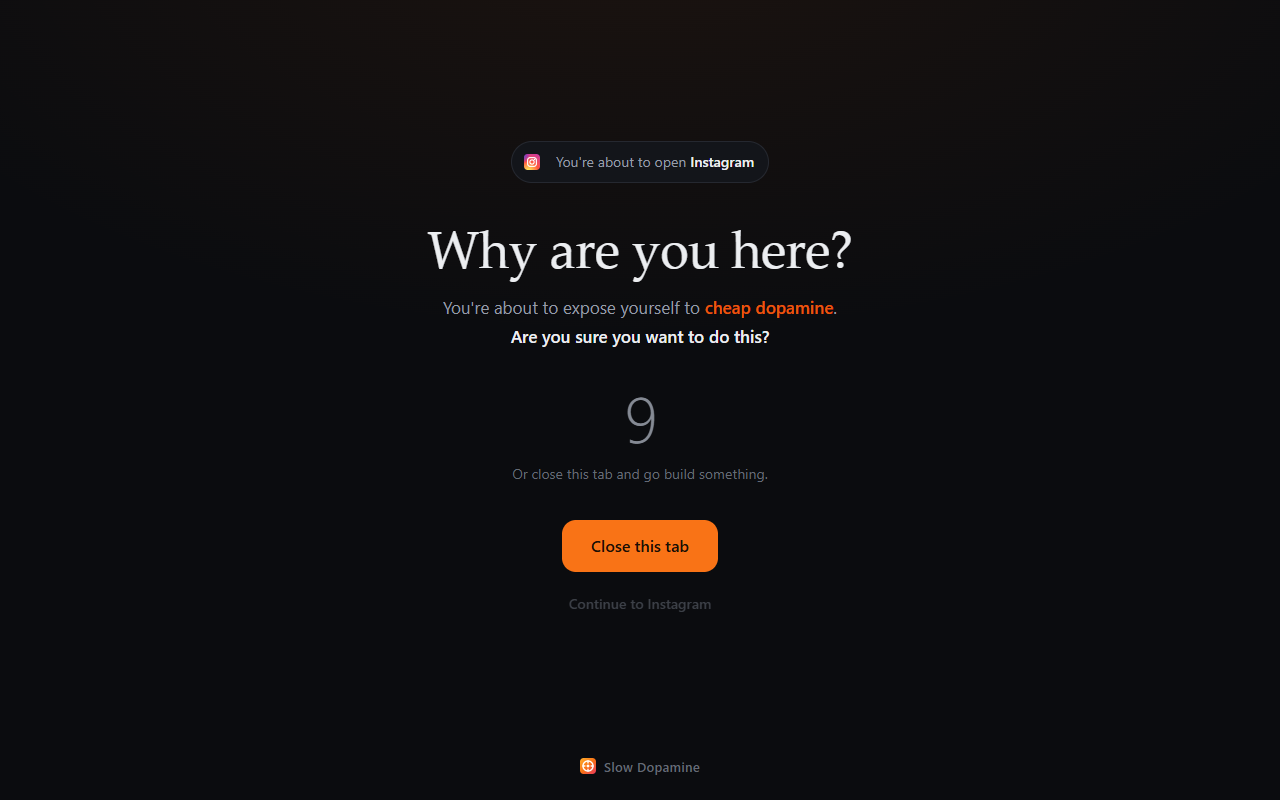
Before the site opens, a calm screen asks "Why are you here?" and counts down 5 seconds (1 to 300, your call). Ask on every visit or only after time away, and see how often you turned back.
Turning a mode off, adding time or removing a site first takes a 45-second wait. Tightening is instant.
Today, yesterday and your daily average, plus a 7-day chart for each site. History stays for 30 days.
No account, no analytics, no ads. Your list and your screen time stay in your browser.
Most visits to a feed aren't decisions, they're reflexes. A few seconds of friction turns the reflex back into a choice, and often the honest answer is to close the tab.
Hanging around here won't help you grow.
Cheap dopamine is everyday shorthand for the quick, effortless reward of feeds, short videos and notifications: easy to start, hard to stop. Slow dopamine is the satisfaction that comes from effort: building, learning, finishing something. Both are popular terms, not medical ones. Slow Dopamine doesn't ban the fast kind. It puts friction in front of it, so opening a feed becomes a choice instead of a reflex.
| What it is | Website blocker, website time limiter and screen time tracker for Chrome |
|---|---|
| Modes per site | Block completely, timed access with a cooldown, pause before entering |
| What counts as time | Only time with the site visible on screen |
| Pause screen | "Why are you here?", then a 5-second countdown (1 to 300 seconds per site) |
| Loosening a limit | 45-second cool-off; tightening is instant |
| Screen time | Today, yesterday, daily average, a 7-day chart per site, 30 days of history |
| Privacy | No account, no analytics, no ads; all data stays in the browser |
| Languages | English, Türkçe, Deutsch, Español, Français, Português (Brasil) |
| Price | Free |
| Requires | Google Chrome 116 or newer on desktop |
Open the dashboard, add the site (type any address or pick a popular one), click it and switch on Block completely. The site and its subdomains stop loading, and tabs that already have it open go to the block screen.
Add youtube.com, switch on Timed access and set Allowed time (say 15 minutes) and Cooldown (say 45 minutes). Only time with YouTube on screen counts. When it runs out, every YouTube tab locks until the cooldown ends.
Put friction between you and the feeds you scroll most. Add those sites to Slow Dopamine and pick a mode for each: block the worst one completely, give the others a short time limit with a cooldown, or make yourself stop at a "Why are you here?" screen before they open. Loosening any limit later takes a 45-second wait, so a passing urge can't undo a decision you made with a clear head.
Every tab of that site goes to the block screen with a countdown, and reloading doesn't reset it. When the countdown ends you choose Close this tab or Continue. If you stay away for the cooldown length on your own, your full time comes back.
An optional screen shown before a site opens. It asks why you came, waits a few seconds, then lets you continue to the exact page or close the tab. It can ask on every visit or only after you've been away for a while, and it shows how often you turned back over the last 7 days.
Yes, but anything that loosens a limit first shows a 45-second countdown that only runs while the dashboard is on screen. Tightening a limit is instant. Most urges don't last that long.
No. The site list, settings and screen time stay in Chrome's extension storage on your device, and screen time is deleted after 30 days. The only network request is fetching a site's icon when you add it. There is no account, no analytics and no ads. Read the privacy policy.
Yes. Every feature is free, with no account and no ads.
If you've used StayFocusd, LeechBlock NG, BlockSite or one sec, Slow Dopamine does the same core job, blocking sites and limiting time on them, with a few specific choices: